
Median Subtract
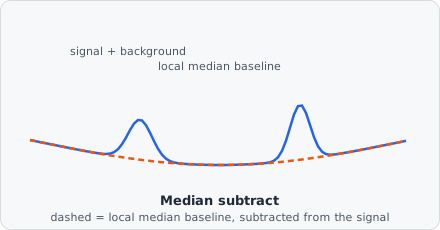
The Median Subtract command estimates the local background by computing a median-filtered version of the image and subtracting it from the original. The result retains only the features that differ from the local median - typically small bright objects on a smooth background.
Where Rolling Ball traces a geometric baseline that can’t dip into peaks, Median Subtract estimates the background statistically: at every pixel, “what’s the typical (median) intensity nearby?” Small, bright objects are outliers relative to their neighbourhood and survive the subtraction; anything that IS the local median - the background - cancels out to near zero.
When to use
Section titled “When to use”Use Median Subtract as an alternative to Rolling Ball when the background variation is not gradual but is best captured by a local median.
Parameters
Section titled “Parameters”| Parameter | Description |
|---|---|
| Radius | Radius of the median filter window in pixels |
A larger radius estimates the background over a wider area. The radius should be larger than the largest object of interest so those objects do not distort the background estimate.