
Image Math
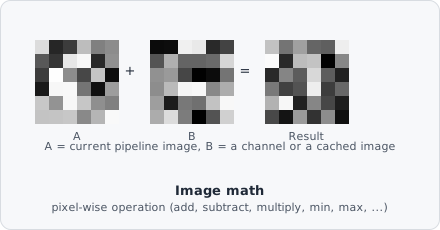
The Image Math command applies a pixel-wise mathematical operation between the current pipeline image and a second image. The second image can come from a specific image channel or from a previously cached image.
This is the command that lets a pipeline reason across channels rather than within just one: subtract one channel’s signal from another to remove bleed-through, combine two channels into a composite mask, or divide by a reference image to correct for uneven illumination captured separately.
Parameters
Section titled “Parameters”| Parameter | Description |
|---|---|
| Operand | The mathematical operation to apply (Add, Subtract, Multiply, Divide, Min, Max, And, Or, …) |
| Second image address | Channel and plane of the second operand |
| Swap operands | If enabled, the second image is used as the first operand of the operation |
Second Image Source
Section titled “Second Image Source”The second image is specified by an ImageAddress:
- Image channel - loads the specified channel/Z/T plane from the current image file.
- From cache - loads an image previously stored by an Image Cache step.
When loading from cache, the image channel settings are ignored.
When to use
Section titled “When to use”Common uses:
- Subtract a background channel from a signal channel.
- Add or Multiply to amplify co-stained regions.
- Min/Max to create composite masks from multiple channels.