
Gaussian Blur
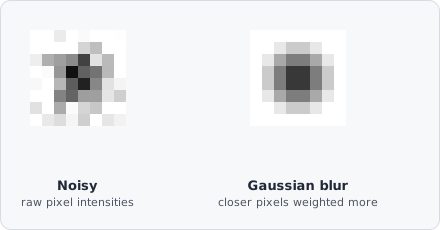
The Gaussian Blur command smooths the image using a Gaussian-weighted kernel. Compared to plain Blur, the Gaussian falloff preserves edges more faithfully and avoids the ringing artefacts of a hard box kernel.
When to use
Section titled “When to use”Gaussian Blur is the preferred noise-reduction step for fluorescence images before threshold segmentation.
Parameters
Section titled “Parameters”| Parameter | Description |
|---|---|
| Kernel size | Side length of the kernel in pixels (must be odd; range 3–49, default 3) |
| Sigma | (advanced) Standard deviation of the Gaussian distribution (controls the spread; range 0.1–8, default 0.34) |
Choosing sigma
Section titled “Choosing sigma”A good rule of thumb is sigma ≈ kernel_size / 6. A smaller sigma relative to the kernel size produces a sharper result; a larger sigma increases smoothing towards a flat box filter.
The Gaussian function weights pixels by their distance from the centre:
Larger kernel sizes or higher sigma values remove more noise but also blur small objects.
Background
Section titled “Background”Gaussian smoothing is the foundation of scale-space theory in computer vision - the idea that an image can be analyzed at multiple levels of detail by convolving it with Gaussians of increasing , from fine noise-level detail up to coarse structure. See Witkin, “Scale-Space Filtering” (IJCAI, 1983) and Lindeberg, “Scale-Space Theory in Computer Vision” (Springer, 1994) for the underlying theory.