Classify ROIs
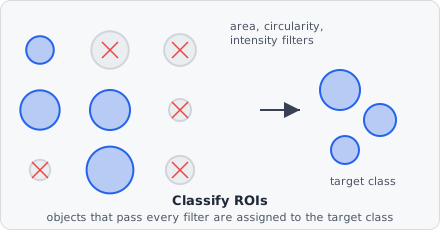
The Classify ROIs command takes segmentation-class objects produced by Extract ROIs and applies a set of shape and intensity filters. Objects that pass all filters are assigned to the target class; objects that fail are discarded.
This is where raw segmentation output (“every connected group of bright pixels”) turns into biological meaning (“this is a nucleus, that speck isn’t”) - the filters exist because segmentation almost always over-detects, picking up noise, debris, and imaging artifacts alongside genuine objects.
Input Selection
Section titled “Input Selection”| Parameter | Description |
|---|---|
| Origin segmentation | One or more segmentation classes to process |
| Origin class | Alternatively, input already-classified objects from named classes |
Target Class
Section titled “Target Class”| Parameter | Description |
|---|---|
| Target class | The named object class assigned to objects that pass all filters |
Shape Filters
Section titled “Shape Filters”All shape-based filters accept –1 as “no limit” for the upper bound and 0 / –1 for “no lower limit”.
| Filter | Description |
|---|---|
| Min area / Max area | Object area in px² (or µm² depending on Size unit) |
| Min circularity / Max circularity | Range 0.0–1.0; 1.0 = perfect circle |
| Min solidity / Max solidity | Ratio of area to convex hull area (0–1) |
| Min aspect ratio / Max aspect ratio | Bounding box width / height ratio |
| Min eccentricity / Max eccentricity | Elongation from fitted ellipse (0 = circle, 1 = line segment) |
| Min Feret / Max Feret | Maximum calliper (Feret) diameter |
| Allow edge touching | If disabled, objects that touch the image border are discarded |
Size unit
Section titled “Size unit”Shape filters that depend on physical size (area, Feret) can use:
- Pixels (px) - absolute pixel count
- Micrometres (µm) - converted using the pixel size from image metadata
Intensity Filters
Section titled “Intensity Filters”| Filter | Description |
|---|---|
| Min mean intensity / Max mean intensity | Average pixel intensity within the object |
| Intensity unit | Absolute (0–65535), Percent (0–100), or Relative (0–1) |
Intensity is measured in the channel/plane configured in the input address. Set –1 to disable either bound.
Example: Spot detection
Section titled “Example: Spot detection”Min area: 3 px²Max area: -1 (no upper limit)Min circularity: 0.1Max circularity: -1Allow edge touching: trueThis retains objects larger than 3 pixels with any shape, discarding single-pixel noise.